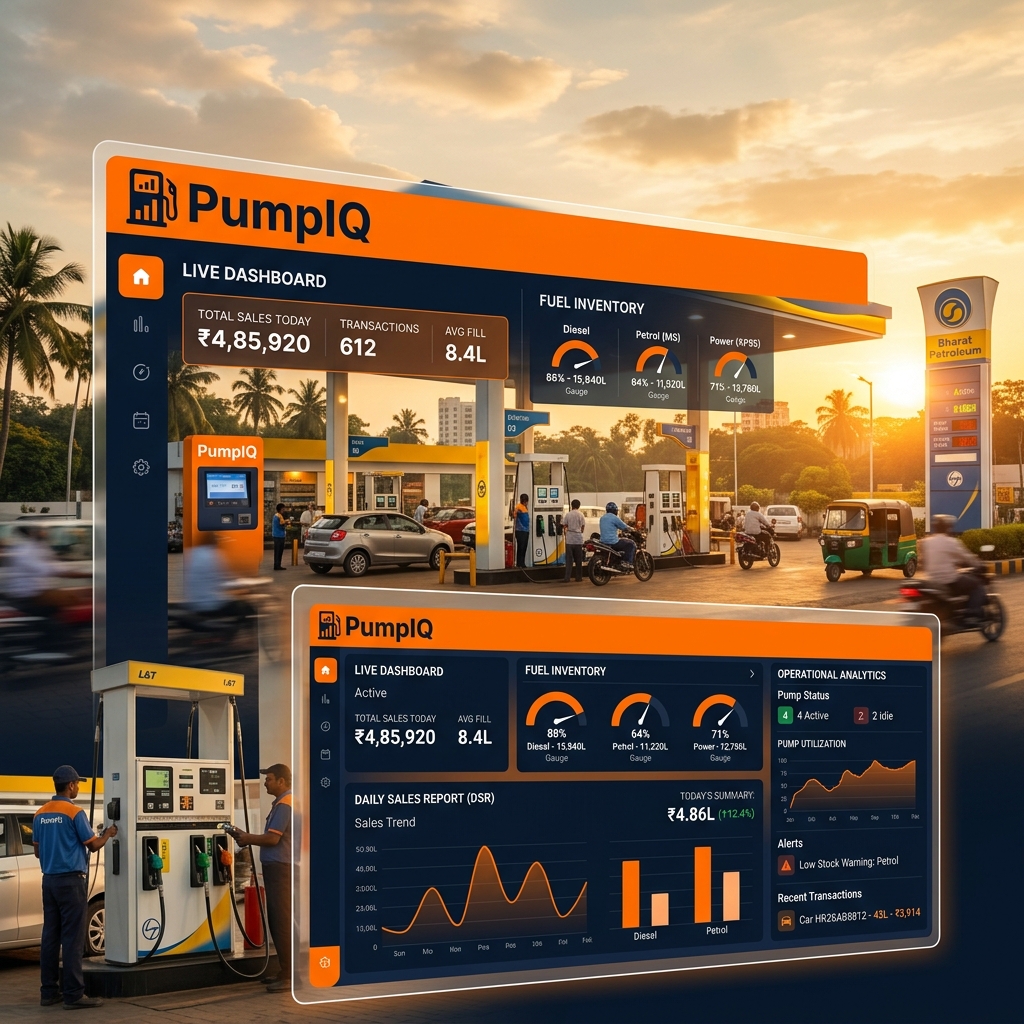
What Is Petrol Pump Software and Why Does It Matter?
Running a petrol pump in India involves a staggering amount of daily paperwork. Between recording nozzle readings, calculating fuel density, managing credit clients, tracking engine oil stock, and generating DSR (Daily Sales Record) for the oil company — the average fuel station owner spends 3–5 hours every day on manual calculations.
Petrol pump software eliminates this entirely. It replaces manual logbooks, calculators, and spreadsheets with a single, intelligent system that does all the heavy lifting automatically.
PumpIQ's free 7-day trial requires no credit card. You can test every feature — DSR generation, inventory tracking, credit management — with your real data before committing to a plan.
The Core Modules Every Fuel Station Needs
1. Automated Daily Sales Record (DSR)
The DSR is the backbone of petrol pump operations. It captures:
- Opening and closing nozzle readings for each fuel type (MS, HSD)
- Cash, card, and credit sales by shift
- Testing and calibration fuel quantities
- Variance analysis between physical stock and system records
PumpIQ generates this automatically at shift close. The manager simply enters the dip reading, and the system calculates everything else.
PumpIQ supports both day shifts and night shifts, with automatic date detection. Night shifts that cross midnight are handled correctly without manual intervention.
Watch PumpIQ Generate a Complete Daily Sales Record
See how PumpIQ generates a complete DSR from opening readings to the final report in just a few minutes.
Complete Daily Sales Record generation using PumpIQ.
What you'll learn
- ✓ Opening nozzle readings
- ✓ Shift selection
- ✓ Fuel sales entry
- ✓ Cash & credit reconciliation
- ✓ Tank reconciliation
- ✓ Final DSR generation
- ✓ Excel report export
2. Fuel Inventory Management
Fuel inventory management is where most petrol stations lose money — silently. A 0.2% daily variance might seem small, but over a full year across 10,000 litres per day, that’s 7,300 litres of unaccounted fuel.
PumpIQ tracks:
| Metric | How PumpIQ Handles It |
|---|---|
| Tank dip readings | Manual entry, auto-calculated volume |
| Density correction | Automatic temperature compensation |
| Vapor loss | Tracked separately per tank |
| Engine oil stock | Separate inventory module |
| Reorder alerts | Triggered at configurable thresholds |
A 0.2% daily stock variance can lead to significant cumulative losses if left unchecked. PumpIQ's variance report highlights this every day so you can investigate before it compounds.
3. Tank Reconciliation
Tank reconciliation compares:
- Book stock (what the system calculated you should have)
- Physical stock (what the dip reading shows)
The difference — the reconciliation variance — is the most important number in fuel station management. It reveals leaks, measurement errors, theft, or calibration issues.
PumpIQ automatically performs tank reconciliation during daily closing. You receive a clear variance figure with colour-coded alerts: ✅ within tolerance, ⚠️ review needed, 🔴 investigate immediately.
4. Credit Customer Management
Credit sales are a major part of petrol pump business — especially for fleet operators and corporate clients. But managing credit manually leads to:
- Disputed amounts
- Unpaid balances accumulating silently
- No visibility into total exposure
PumpIQ’s credit module provides:
Credit Client → Ledger → Invoice → Payment → Outstanding Balance
Every fuel dispensing to a credit client is logged with date, quantity, price, and vehicle number. Monthly statements are generated in one click.
5. Shift Management
Most IOCL outlets run two shifts — day and night. PumpIQ handles this natively:
- Each shift has its own opening/closing readings
- Shift-end reports are generated independently
- Day-over-day comparisons are automatic
- Cashier-wise performance tracking is built in
How PumpIQ Compares to Manual Methods
| Feature | Manual (Logbook) | PumpIQ |
|---|---|---|
| DSR generation time | 60–90 minutes | Under 5 minutes |
| Calculation errors | Frequent | Zero |
| Credit tracking | Manual ledger | Automated with alerts |
| Inventory reconciliation | Daily, by hand | Instant, at shift close |
| Historical data access | Search through files | Instant, filterable |
| Backup & recovery | None | Google Drive cloud backup |
Storing fuel station data only in physical logbooks is a compliance risk. If records are damaged or lost, reconciliation with the oil company becomes impossible. PumpIQ's cloud backup ensures your data is always recoverable.
Installation and Getting Started
PumpIQ is a Windows desktop application. Installation takes under 5 minutes:
- Download the installer from pumpiq.co.in
- Run the setup wizard
- Enter your outlet details (name, IOCL code, number of tanks, nozzles)
- Start your first shift
The software works 100% offline. Internet is only needed for:
- License activation (one-time)
- Google Drive backups (optional)
Pricing and Plans
PumpIQ offers three plans designed for different business sizes:
- Monthly — ₹499/month, ideal for trying the full software
- Yearly — ₹4,999/year (save 2 months), most popular
- Lifetime — ₹19,999 one-time, unlimited use forever
All plans include a 7-day free trial — no credit card required.
Frequently Asked Questions
Does PumpIQ work for BPCL or HPCL dealers?
Yes. While PumpIQ was originally built for IOCL DSR format, it works for any fuel station. The DSR format and dip chart calculations are configurable.
Can I use PumpIQ on multiple computers?
Each license is tied to one machine (hardware-locked). If you need multi-machine access, contact support for a multi-seat arrangement.
What happens to my data if I stop the subscription?
Your data stays on your computer. PumpIQ stores everything locally. A subscription lapse disables new data entry but doesn’t delete existing records.
Conclusion
Modern petrol pump management doesn’t have to mean stacks of paper and hours of calculation. PumpIQ brings the same level of automation that large petrol stations use to independent IOCL dealers across India — at a price that makes sense.
The 7-day free trial is the easiest way to see the difference. Download it, run it alongside your current system for a week, and measure the time you save.