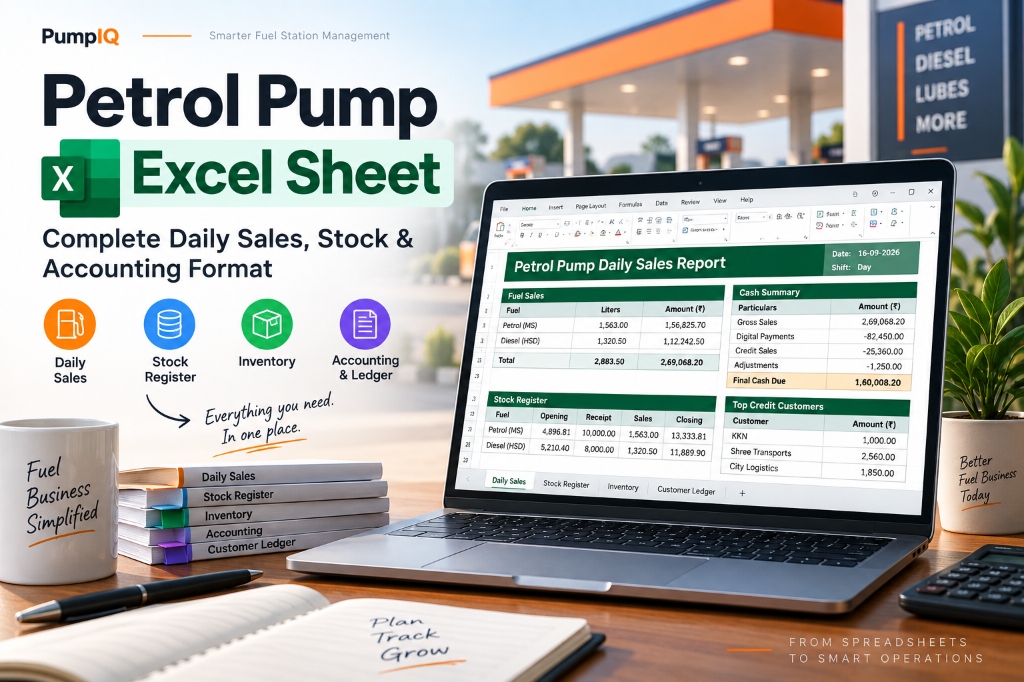
Why Petrol Pump Station Operations Rely on Excel Sheets
Managing a fuel station in India (whether an IOCL, BPCL, HPCL, Nayara, or Jio-bp dealership) requires continuous monitoring of high-volume financial transactions and fuel stock levels. Every shift involves nozzle meter readings, tank dip conversions, density measurements, cash drawer tallying, credit sales to transport fleets, and daily expense recording.
For decades, fuel station owners transitioned from physical paper register logbooks to a customized petrol pump Excel sheet. An organized Excel format allows dealers to standardise calculations, automate basic formulas, and reduce human accounting errors.
However, designing an error-free petrol pump daily sales Excel format requires a thorough understanding of fuel loss calculations, dip-to-liter lookup formulas, credit ledger accounting, and shift-end settlement processes.
While a well-structured Excel template simplifies daily tracking, specialized desktop software like PumpIQ automates nozzle calculations, tank dip reconciliation, WhatsApp credit payment reminders, and DSR reporting without formula corruption risks. You can experience it with a free 7-day trial.
Key Modules of a Complete Petrol Pump Excel Format
A professional petrol pump report excel template must be divided into five distinct operational modules. Combining these modules ensures complete audit control over your station’s daily sales, fuel stock, cashier collections, and customer credit ledgers.
┌──────────────────────────────────────────────────────────────────────────────────┐
│                   PETROL PUMP EXCEL SYSTEM ARCHITECTURE                          │
├───────────────────┬───────────────────┬──────────────────┬───────────────────────┤
│ 1. Daily Sales    │ 2. Fuel Stock &   │ 3. Cashier &     │ 4. Credit Ledger      │
│    (Nozzle Meter) │    Tank Dip Reg.  │    Payment Tally │    & Outstanding      │
└───────────────────┴───────────────────┴──────────────────┴───────────────────────┘
1. Petrol Pump Daily Sales Excel Module (DSR Sheet)
The daily sales module tracks fuel output across every dispenser nozzle for Motor Spirit (MS / Petrol) and High Speed Diesel (HSD).
Key Fields Required:
- Nozzle ID & Fuel Type (e.g., MS Nozzle 1, HSD Nozzle 2)
- Opening Meter Reading (from start of shift/day)
- Closing Meter Reading (from end of shift/day)
- Gross Sales Volume (Liters) =
Closing Reading - Opening Reading - Testing Quantity (Liters) (Fuel dispensed for calibration/density testing and poured back into tanks)
- Net Sales Volume (Liters) =
Gross Sales - Testing Quantity - Retail Selling Price (RSP / ₹ per liter)
- Total Nozzle Revenue (₹) =
Net Sales Volume × Retail Price
Sample Excel Daily Sales Format Structure:
| Nozzle Name | Fuel | Opening Reading | Closing Reading | Gross Liters | Testing (L) | Net Liters | RSP (₹/L) | Revenue (₹) |
|---|---|---|---|---|---|---|---|---|
| MS Nozzle 1 | Petrol | 124,500.00 | 126,200.00 | 1,700.00 | 5.00 | 1,695.00 | 101.50 | ₹1,72,042.50 |
| MS Nozzle 2 | Petrol | 98,200.00 | 99,650.00 | 1,450.00 | 5.00 | 1,445.00 | 101.50 | ₹1,46,667.50 |
| HSD Nozzle 1 | Diesel | 450,100.00 | 453,800.00 | 3,700.00 | 10.00 | 3,690.00 | 92.40 | ₹3,40,956.00 |
| Total | 6,850.00 | 20.00 | 6,830.00 | ₹6,59,666.00 |
2. Fuel Inventory Excel & Stock Register Module
Tracking underground fuel storage tanks is critical to detecting underground leakage, vapor loss, and tank decanting short-delivery. A robust fuel stock register excel template tracks physical dip readings against book stock.
Key Steps for Fuel Inventory Calculations:
- Opening Tank Dip (cm/mm): Measured using a calibrated dip rod before morning operations.
- Opening Book Stock (Liters): Derived from the tank dip chart lookup table.
- Fuel Decanting Receipts (Liters): Tanker TT invoice quantity added during the day.
- Total Available Stock (Liters) =
Opening Stock + Tanker Receipts - Total Sales (Liters) =
Sum of Net Nozzle Sales - Expected Book Closing Stock (Liters) =
Total Available Stock - Total Sales - Actual Closing Tank Dip (cm/mm): Measured at night/shift end.
- Actual Physical Closing Stock (Liters): Derived from physical dip reading using the chart.
- Fuel Variance (Gain / Loss) =
Actual Closing Stock - Expected Book Stock
Standard industry allowance for evaporative handling loss is 0.59% for MS (Petrol) and 0.15% for HSD (Diesel). Any variance exceeding these thresholds indicates calibration errors, temperature shrinkage, or decanting shortages.
3. Petrol Pump Accounting Excel & Shift Settlement Module
Once total sales revenue is calculated, the petrol pump accounting excel sheet must reconcile physical payment collections from cashiers and dsm (delivery sales men).
Payment Collection Breakdown Formula:
$$\text{Total Sales Revenue} = \text{Cash Collected} + \text{Card/POS} + \text{UPI/QR} + \text{Credit Sales} + \text{Expenses Paid} + \text{Cash Shortage}$$
Cashier Settlement Format Table:
| Payment Method / Expense Head | Expected Amount (₹) | Actual Received (₹) | Difference / Shortage (₹) |
|---|---|---|---|
| Cash Handover | ₹3,45,000.00 | ₹3,44,800.00 | -₹200.00 (Shortage) |
| Card / POS Machine Settlement | ₹1,20,000.00 | ₹1,20,000.00 | ₹0.00 |
| PhonePe / Google Pay / Paytm QR | ₹85,000.00 | ₹85,000.00 | ₹0.00 |
| Authorized Transport Credit Sales | ₹1,00,000.00 | ₹1,00,000.00 | ₹0.00 |
| Petty Cash Expenses (GenSet Fuel, Office) | ₹9,666.00 | ₹9,666.00 | ₹0.00 |
| Total Settlement Tally | ₹6,59,666.00 | ₹6,59,466.00 | -₹200.00 |
4. Petrol Pump Ledger Excel & Customer Credit Management
Extending credit to commercial transport fleets, state transport buses, and local agricultural customers is standard in fuel retailing. A dedicated petrol pump ledger excel sheet records vehicle-wise indent slips and tracks outstanding balances.
Essential Columns for Credit Excel Ledger:
- Date & Indent Slip Number
- Customer / Transporter Name
- Vehicle Number (e.g., TN-01-AB-1234)
- Driver Name & Signature Acknowledgment
- Fuel Volume (Liters) & RSP (₹)
- Bill Credit Amount (Debit)
- Payment Collection Amount (Credit)
- Running Outstanding Balance (₹)
Customer Balance Formula:
Running Balance = Previous Balance + New Credit Bill Amount - Payment Received
Essential Excel Formulas for Petrol Pump Management
When creating your petrol pump report excel workbook, use these standardized Microsoft Excel formulas to automate calculations:
1. Net Nozzle Sales Formula
=MAX(0, C5 - B5 - D5)
B5 = Opening Reading, C5 = Closing Reading, D5 = Testing Liters)
2. VLOOKUP Tank Dip to Liter Conversion
=VLOOKUP(F12, TankDipChart!A2:B500, 2, TRUE)
F12 is the measured tank dip in mm, looking up the volume in TankDipChart range)
3. Daily Fuel Stock Variance
=(ClosingPhysicalLiters) - (OpeningLiters + TT_Receipts - NetNozzleSales)
4. Cashier Shift Excess / Shortage Alert
=IF(TotalReceived < TotalSales, "SHORTAGE: ₹" & TEXT(TotalSales-TotalReceived,"#,##0"), "BALANCED")
Comparison: Excel Templates vs Dedicated Petrol Pump Software
While a petrol pump inventory excel sheet works well for small single-nozzle operations, growing stations face significant limitations:
| Feature | Petrol Pump Excel Sheet | Dedicated Software (PumpIQ) |
|---|---|---|
| Setup Cost | Free (requires manual layout design) | Affordable subscription / One-time |
| Formula Protection | High risk of accidental deletion | 100% secure, immutable code |
| Shift Management | Manual copy-pasting for shifts | Automated shift-wise DSM settlement |
| Credit Reminders | Manual phone calls / WhatsApp | 1-Click Automated WhatsApp Payment Reminders |
| Tank Dip Conversion | VLOOKUP formulas (prone to error) | Built-in IOCL/BPCL/HPCL Dip Charts |
| Data Backup | Manual file save on local drive | Offline desktop app + Cloud Google Drive backup |
| DSR Report Generation | 60–90 minutes daily | Under 3 minutes automatically |
Conclusion & Next Steps
Using a structured petrol pump excel sheet is a great starting point for digitalizing your station’s daily sales, fuel stock registers, and customer credit ledgers. It brings clarity to your cash flow and helps eliminate ledger math mistakes.
However, as your daily fuel volume grows and credit customers increase, manual spreadsheet entries become time-consuming and vulnerable to formula corruption. Upgrading to a dedicated solution like PumpIQ gives you the simplicity of spreadsheets with automated DSR reporting, instant dip calculations, and WhatsApp credit collection alerts.
Download the free 7-day trial of PumpIQ today to streamline your petrol pump operations without credit card requirements.